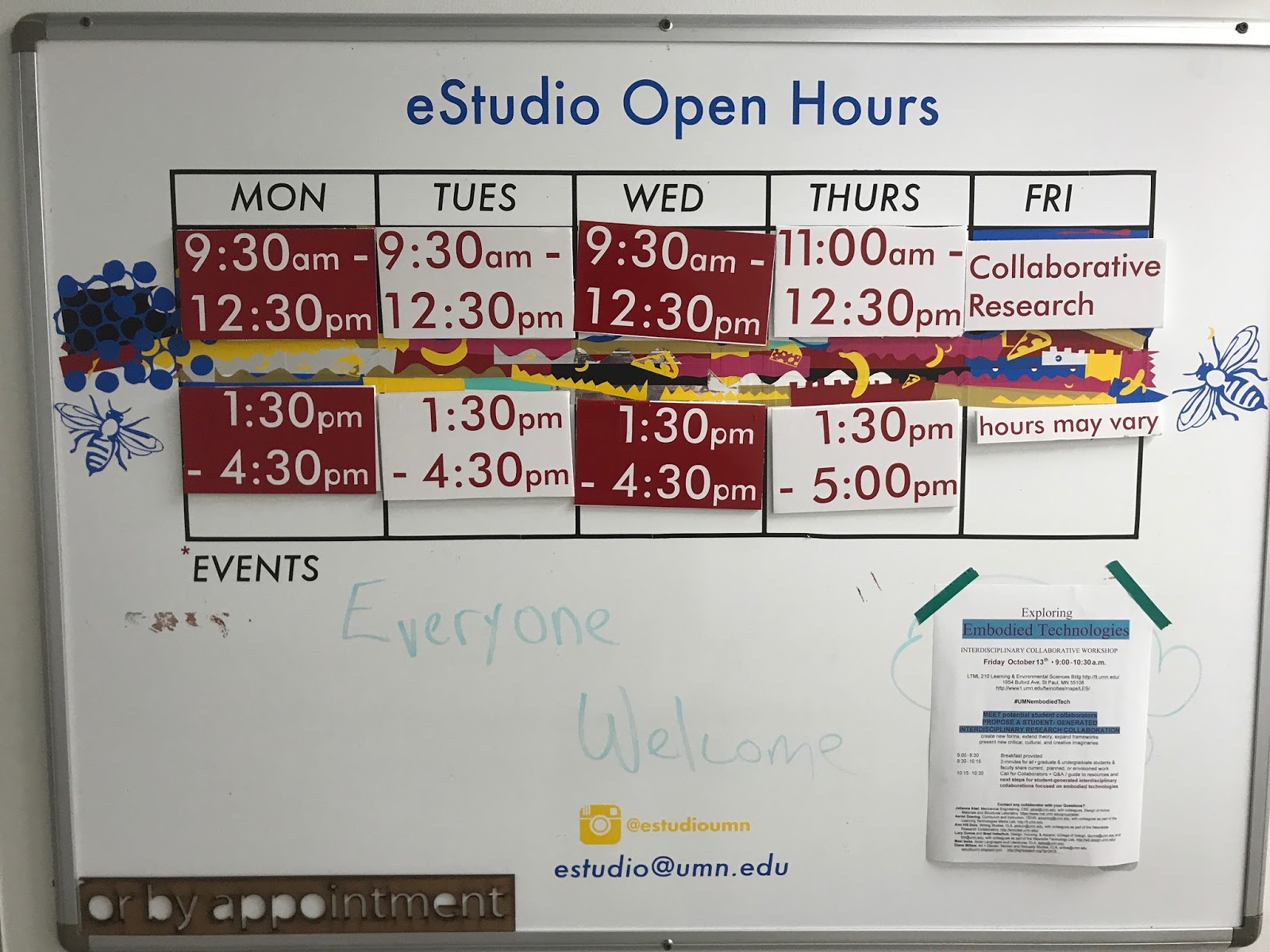
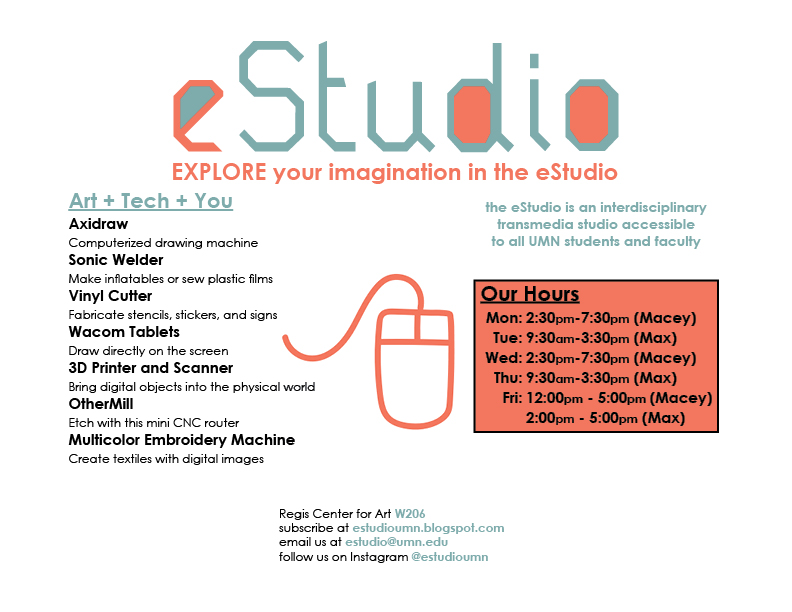
Fall 2022 Hours


eStudio Fall 2022 Open Hours


M 10am - 4pm

T 10am - 1pm and 3pm - 5pm

W 10am - 4pm

R 10am - 1pm and 3pm - 5pm

F 10am - 1pm

Book Making Event

Join us in the art of Book Making! Explore our various machines and uncover different methods of binding and cover design! We hope to see you there!

eStudio Welcome Night

We had a very successful welcome night!

Jeff came in with a partially felt, partially plastic fabric, and plans to make a computer case. He befriended the Ultrasonic Welder, and made this masterpiece and some cute USB battery cases to match!

eStudio Survey

Have you been in the eStudio? If so, please consider helping us out and taking this quick survey!

Basic Circuitry Workshop

Have you ever been curious about adding lights, sounds, or moving parts to your projects? Now is your chance to learn how! Join Asia over the next few weeks in the eStudio!

Homework Night!

Join us for a casual homework night in the eStudio. If you've never visited the studio before, this event is for you! Come do homework with us and let us introduce you to some of our machines. If you have no homework, please still come and work on some projects. We'll see you there!


Conductive Workship Moved to Dec. 6th

Hello everyone! Hope you all had a great fall break. We have a few announcements to make! 
Our Viking Sewing Machine is back! It has been repaired and is ready for use. We also have a BRAND NEW sewing and embroidery machine by Brother. Come try it out! 

Perhaps you'd like to try it out at our upcoming Conductive Thread Workshop! It will take place in the eStudio on December 6th from 7 pm to 9 pm. Run by eStudio research assistants Maia and Vanessa, the Workshop will allow for experimentation of circuits through different medias like fabric, paper, and wire. The event is free and refreshments will be provided. 

Hope to see you there! 


Fall 2018 Hours


If you'd like to schedule another time, email estudio@umn.edu or hit "TEXT" on our Instagram page. We're here to help you in any way we can!

summer 2017 in the eStudio: First Person Productions

Over the summer, the eStudio took on another role. A group of highschoolers turned it into an animation studio!


We partnered with MIGIZI COMMUNICATION'S program: First Person Productions. FPP takes local native youth from the community and bands them together in an entrepreneurial video production crew. They learned how to set up video shoots and work as a team to create content. The crew that came to the eStudio was tasked with creating animation videos educating their peers on how the local government works.


The students created hand drawn images with the cintiqs, learned to use animation software such as After Effects, and make songs using Mixcraft.


They also learned how to make patches and stickers for the program, and themselves!


And of course, they had fun too!


check out their videos here!


how to glitch photos with audacity


glitch art is amazing, giving everyone the opportunity to make something beautiful through exploration, play, and experimenting.


Audacity is a free software for editing audio, we are going to use it to glitch photos


first step is to take your photo!


our friend Charles stopped by the eStudio to make an album cover

your photo will need to be a .tiff, so we brought the photo into adobe photoshop and exported it as a .tif, but you can use any photo software to do this.

next open audacity and choose                file > import > raw data

It will prompt you for import settings, we use as follows

now your photo is loaded in as audio

*** DO NOT mess with the intro and the ending, they will look different. This section encodes metadata - information like filetype, camera, resolution, etc***

now feel free to add different effects to the image data!
use the effect menu

our favorite effects are
phaser,
invert,
reverb
echo,
as well as messing with the volume

explore to your hearts desire!


made by: Dan Pergrin, Charles Thomas, and Max Kollman

little bits vibe writer

the VibeWriter

a collaborative little bits device where a sequence of music is synthesized, and wirelessly transmitted to a servo-powered pen wiggling apparatus.

made by Macey Meyer, Max Kollman, and Jeni O'Malley


Reb L. Limerick proudly holding the VibeWriter


come into the eStudio this spring and explore what we have to offer!

Panorama of the eStudio Space


Join us in the eStudio & create the things that you imagine.

The eStudio at a glance ..... a place where you can connect the material and digital worlds while learning with, teaching and collaborating with other students

eSTUDIO - EXPLORATORIUM schedule


Come and join us at the Exploratorium and experience our digital medias first hands.
Any questions feel free to email us at estudio@umn.edu

Vinyl Mask on Ceramics

I've been meaning to make this post for a while, but first I had to do the project. The creation of this particular vase thing has a few absurd twists and turns--one of the walls fell off for a while--but the monochromatic imagery on it gave it meaning...it's an apartment building!
Vinyl mask glazing is just like using paper or masking tape cutouts, except the vinyl cutter can help you cut detailed shapes and pieces. Using Adobe Illustrator on your own computer or in the eStudio, you can trace and then expand your image so that there are vector lines telling the vinyl cutter where to cut.


Next, weed the vinyl, removing the areas where you want glaze to go- in this case, this the "positive" of your image.


Stick it on your bisqued piece...

Spray with glaze (tenmoku on this piece)

Peel the vinyl off, exposing the bare clay. At this point you could apply another coat (say...celedon...or whatever) and get a layered effect. I left mine with the bare clay exposed.


And finally, it's ready to go into the kiln:


New Signage

2017:

our signage has once again been updated! this time using velcro to attach small time slots to the board in a modular fashion. The times made by cutout vinyl stickers, making use of both the positive and negative vinyl.


2015
New signage is up outside of our door, hopefully to match the wonderful new xyz lab signs leading to the laser cutter and cnc router room in the East building. It's a little rough, but shows the seams that the ultrasonic welder can make...and hopefully answers any questions new visitors might have!
New sign.jpg

About the eStudio.jpg

Water Soluble Stabilizer Continued...


The second project I did was the same image, but much smaller (it fit comfortably in the 100x100 mm frame). This one I did with metallic gold thread over top of it, and on a different brand of stabilizer (much cheaper). It worked almost as well. The more expensive brand is stronger, and this stuff had a tendency to tear at some of the thinner lines.


Water Soluble Stabilizer

Most of our embroidery projects incorporate some sort of backing or stabilizer. This is usually placed behind the fabric (or paper, or plastic!) that the project is meant to be sewn onto. Water soluble stabilizer allows you to sew without a substrate, (ie cloth, paper, etc) and instead create an object that exists on its own in space. It occupies a strange place between sculpture and drawing.
First: a cross stitch pattern provides stability, weaving a new piece of "cloth," providing structure for the image.


Here is the final product, before I dissolve the stabilizer:


And after a dunk in the sink. Dark because it's still wet.


Wacom Cintiq

I'm pretty sure I pronounce this incorrectly, but it is still one of the most important, popular, fun, and EASY components of our lab. The TWO large Wacom Cintiq monitors we have are popular because the are extremely simple to use...and beautiful to boot. Pressure sensitive, the Cintiqs allow you to draw straight onto the screen and achieve some wonderful line qualities (thicker where you press down harder, thin where you only lightly touch the screen, etc)